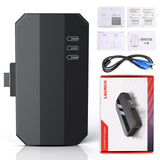
Warm Notice: If you are not sure whether this product is compatible with your vehicle or supports the functions you need, please contact our customer service first. Otherwise, for non-quality-related returns, the return shipping cost will be borne by the customer.
Email: service@launchx431online.com
Launch X431 ECU & TCU Programmer Standalone PC Version for 2D Menu ECU Data Reading/Writing
Product Features:
1. 2D menu, clear and easy to choose
2. Powerful search function
3. Convenient modification of ECU data
4. USB communication, with a speed more than three times that of Android devices, making it more stable
5. Easy to copy data
6. Support engine data validation function
7. One year free update
8. Supports Checksum Correction, IMMO Off
9. Ensure the validity of ECU data. When you write data to a new ECU, it will automatically check the data for you to ensure that the ECU can function properly.
10. There are two methods to read various vehicle brand ECUs info. The X-431 ECU & TCU Programmer also supports Data Processing, anti-theft shutdown and file verification.
11. Supports ECUs data reading & writing quickly, including reading the chip ID and backing up the EEPROM data, backing up the FLASH data, and restoring EEPROM/FLASH data.
Software download: https://en.cnlaunch.com/download
ECU Programmer Standalone vs. X-prog3 + X431 Tablet
- VW Audi Porsche clone function is in data processing section
- The connection is more convenient
- Data reading and writing speed is faster and more stable (3x times faster)
- Data processing and transfer on PC are more convenient
- Adds immo off function
- Standalone version cannot do key programming.
PC Software Description:
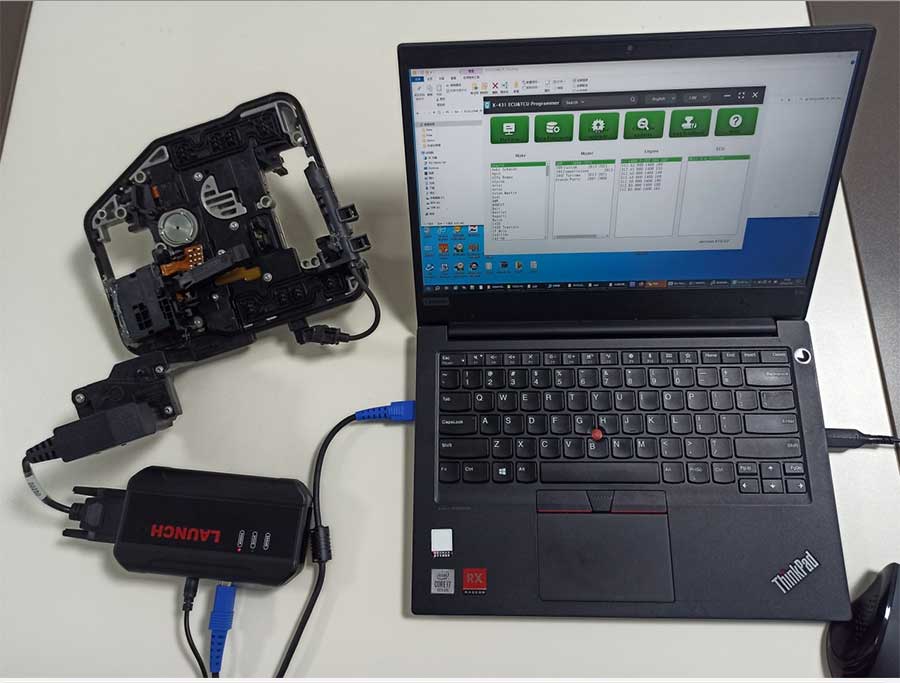
Firstly, connect the X-431 ECU&TCU Progarmmer to the computer with a hole wire.
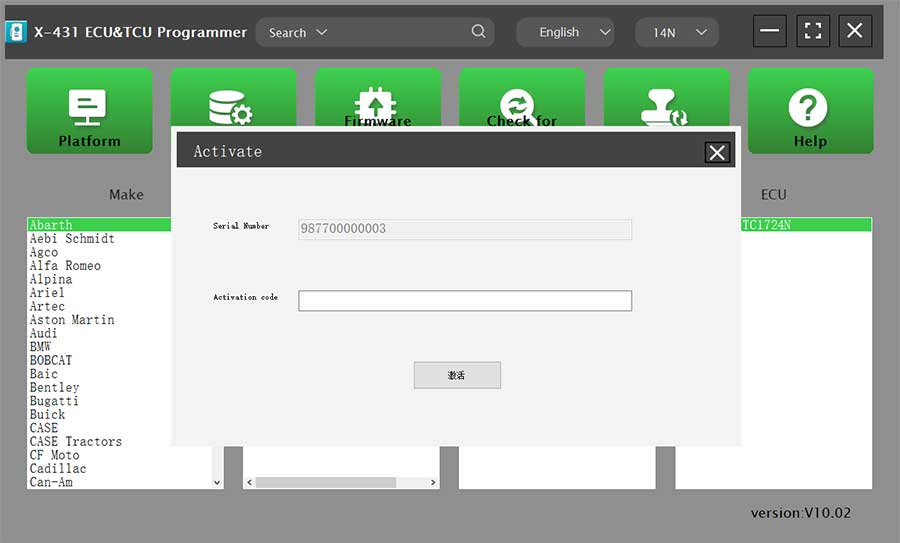
Then, click to enter the software. The serial number will be automatically recognized from the X-431 ECU&TCU Progarmmer, and the activation code needs to be obtained from the envelope bar of the X-431 ECU&TCU Progarmmer.
Click [Activate] to activate (only activate once, no need to activate again later).
Without connection, you cannot access the software.
I.ECU Data Reading/Writing
1. Obtain the related ECU.
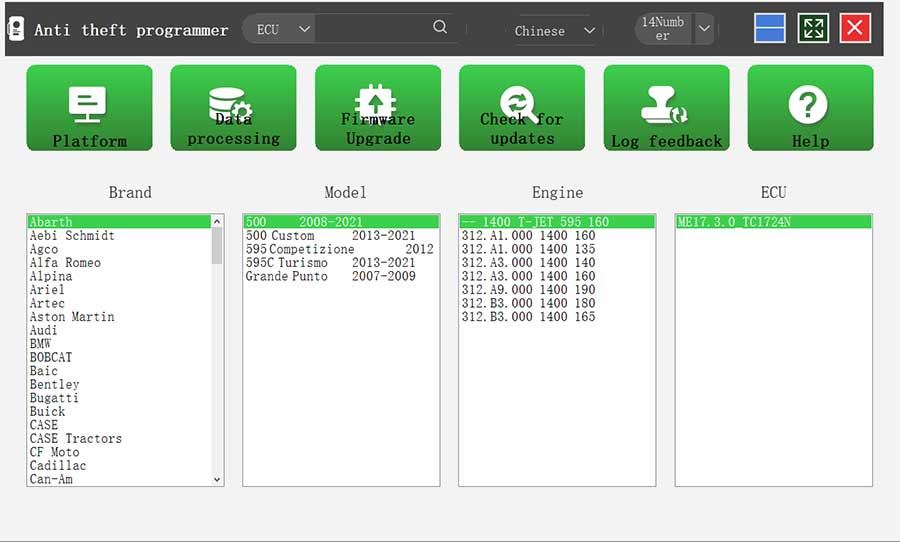
(1) Method 1: Obtain the desired ECU type through brand > model > engine > ECU in turn.
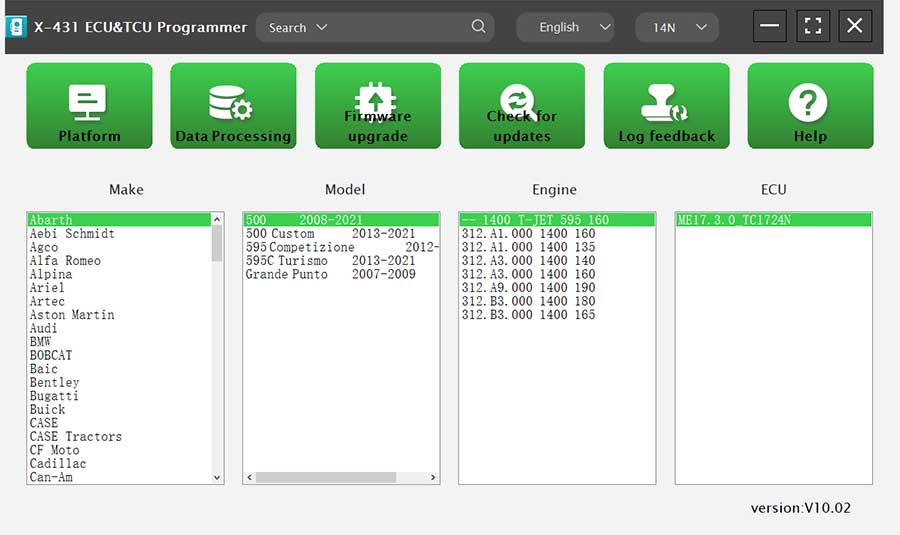
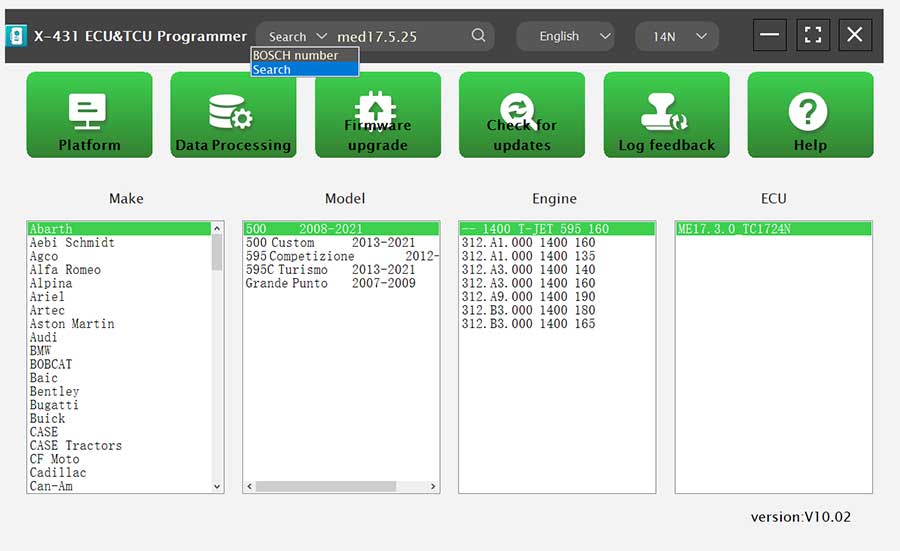
(2) Method 2: Query the desired ECU by entering a value in the search box. The search categories includeB-osch number and Search. For example, search for the MED17.5.25 engine by Search.
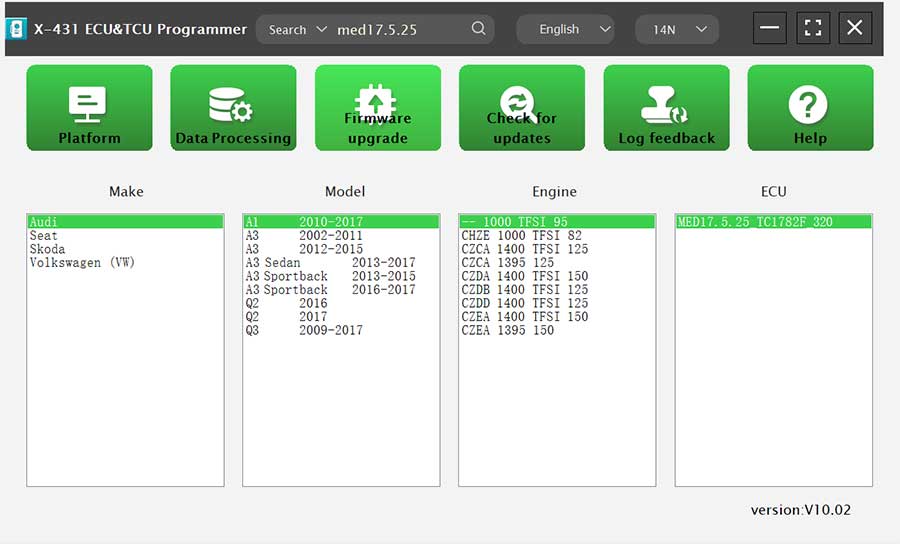
2. Click [Direct Connection Diagram] to obtain the ECU connection diagram.
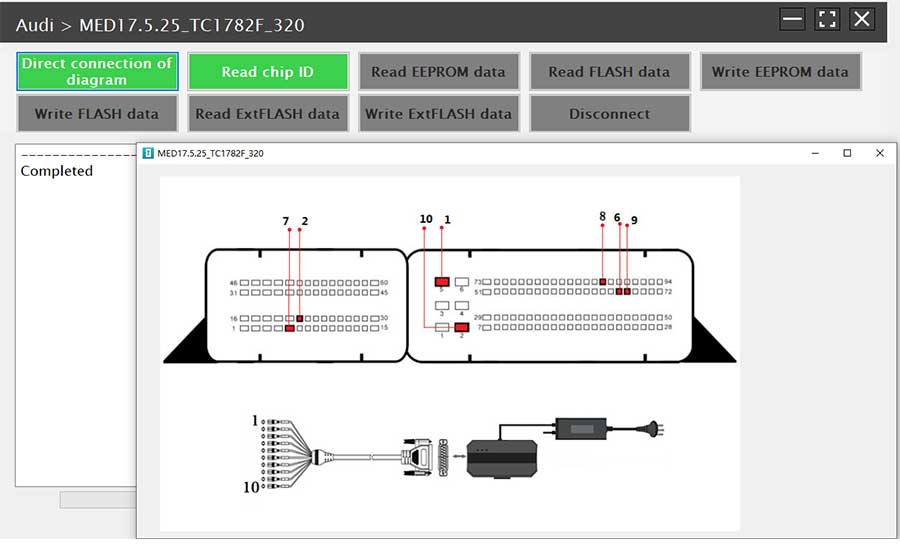
3. Connection: Connect the ECU and PCBOX according to the information provided in the connection diagram. The physical connection diagram of MED17.5.25 (using the BENCH mode line), and the physical connection diagram using the gearbox adapter.
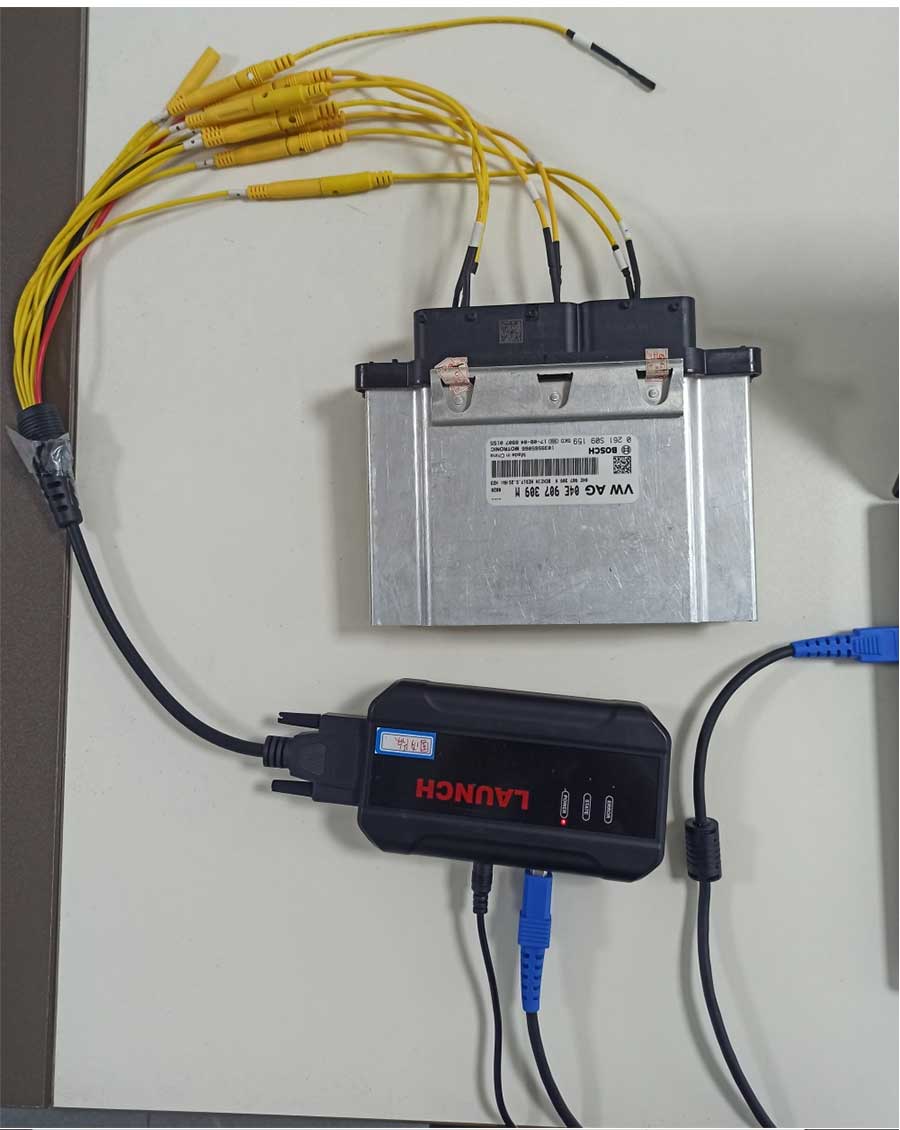
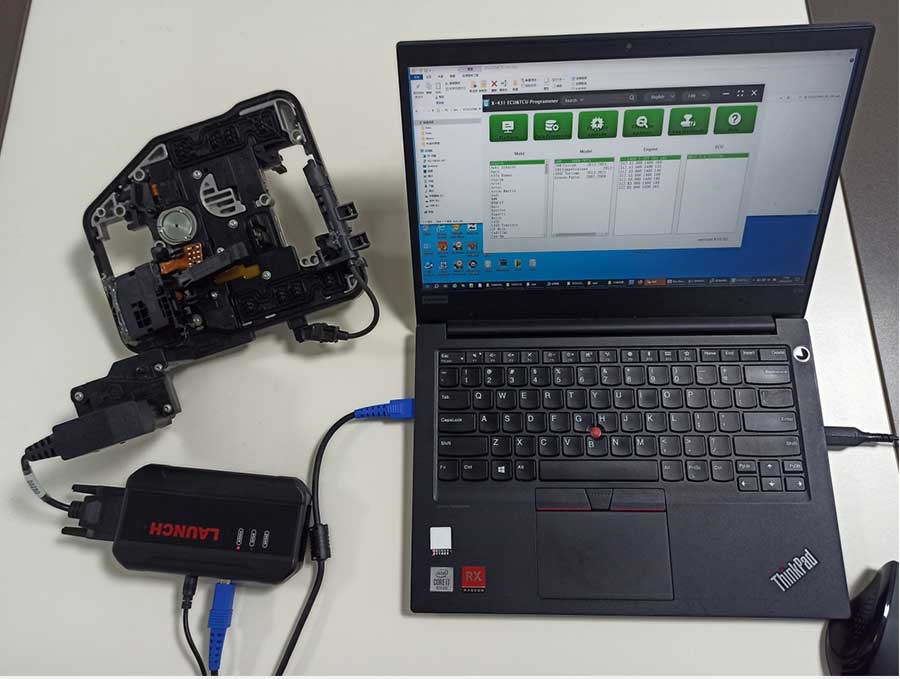
4. Read the chip ID.
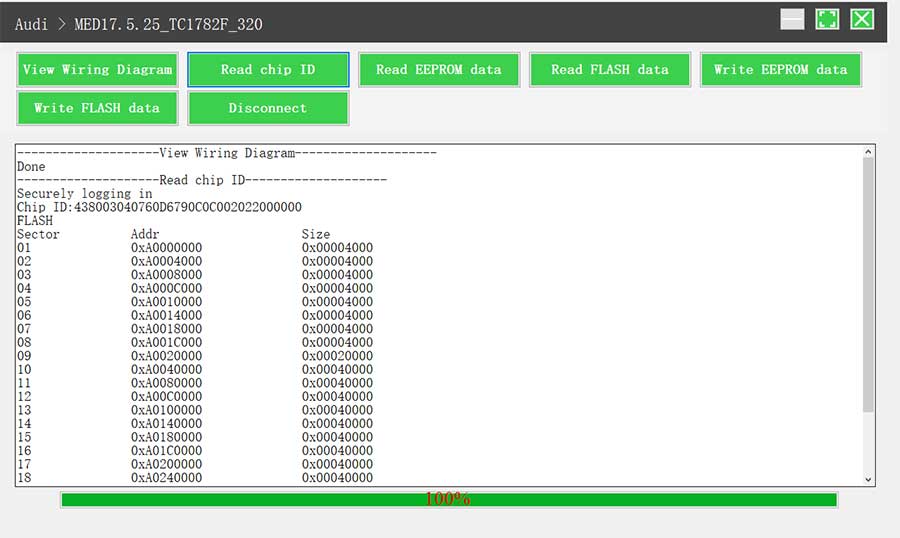
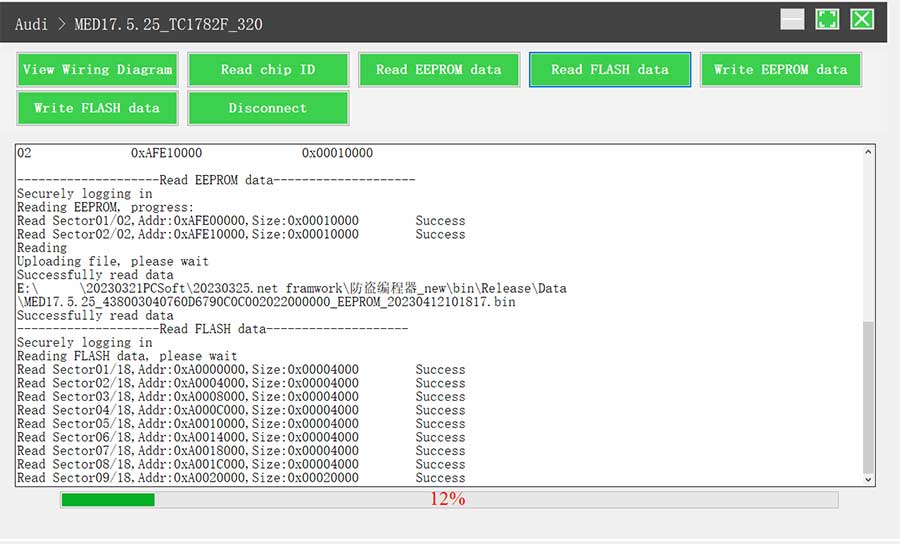
5. Back up the EEPROM data and save it, (the figure shows the save page of the read data).
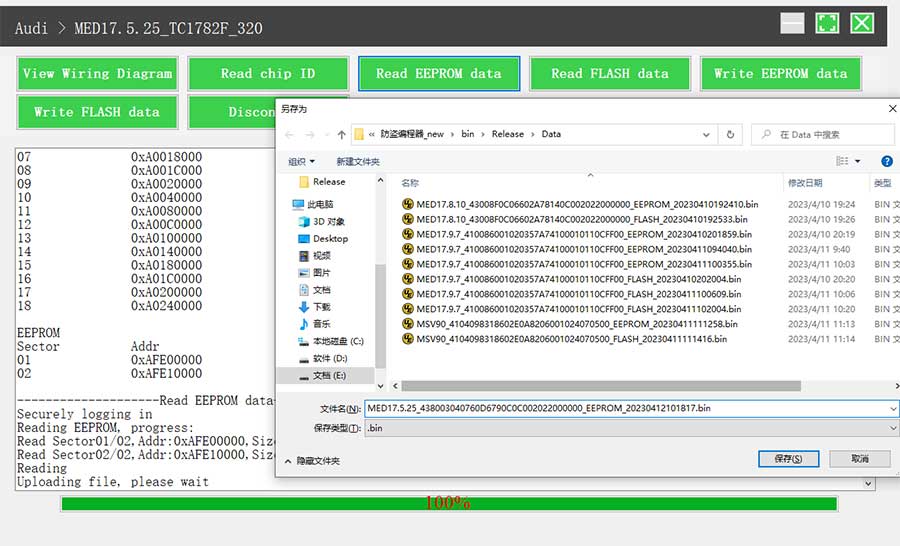
6. Back up the FLASH data and save it, (the figure shows the process of reading FLASH data).
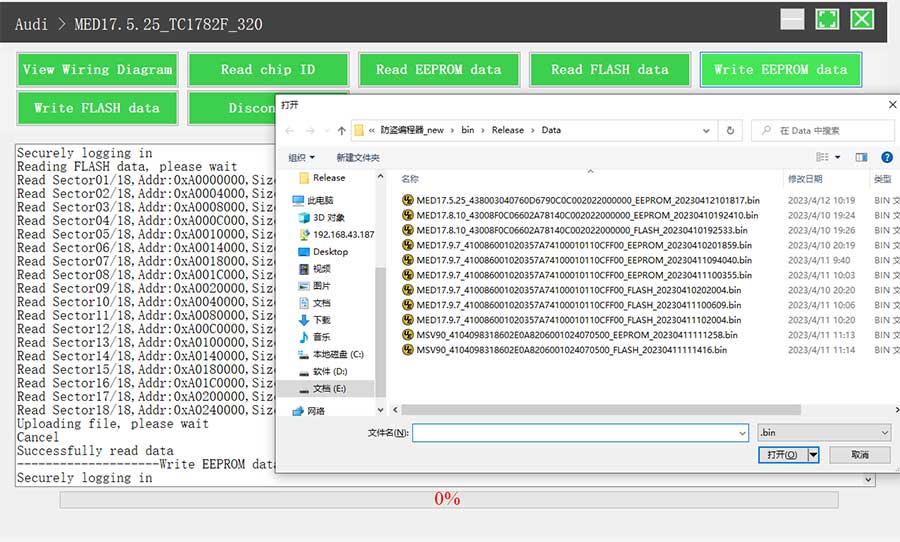
7. Restore EEPROM/FLASH data, (the figure shows the file selection page).
II. Data Processing
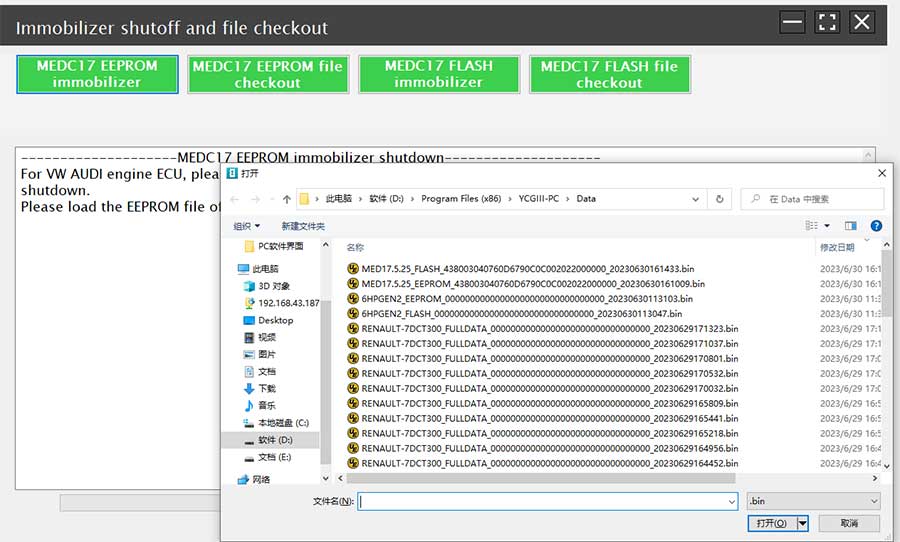
1. Click the [Data Processing] button on the main page, and select [IMMO Off and File Verification] ([DTC Shield] is not currently supported).
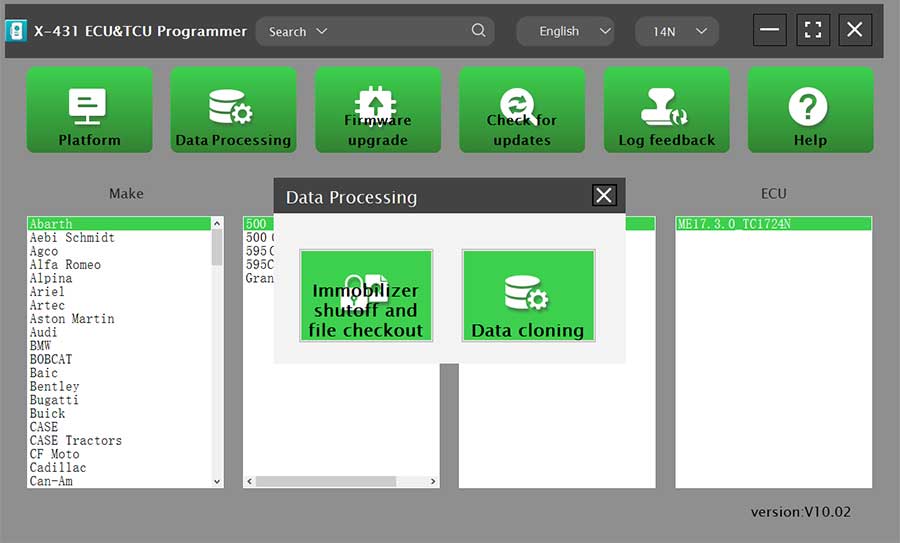
2. File verification and IMMO off (process: select file > connect network to obtain > save file).